Manufacturing Software Cost in India: Pricing Guide
This guide covers what manufacturing software costs in India across ERP, MES and production tracking. For production tracking prices alone, see production tracking software pricing in India.
Manufacturing companies in India are increasingly adopting digital tools to manage production planning, work orders, inventory, quality, shop-floor operations, and production reporting.
But before investing in manufacturing software, one of the first questions business owners and factory managers ask is:
“How much does manufacturing software cost in India?”
The answer depends on several factors, including the size of your factory, number of users, required features, production complexity, integrations, implementation requirements, and support.
This guide explains the major factors that affect manufacturing software pricing in India, what features manufacturers should consider, and how to evaluate the potential return on investment.
What Is Manufacturing Software?
Manufacturing software is a digital system designed to help manufacturers manage and monitor production operations.
Depending on the solution, it can help businesses manage:
- Production planning
- Work orders
- Job tracking
- Production scheduling
- Work-in-progress (WIP)
- Material tracking
- Quality control
- Rework
- Shop-floor operations
- Production reports
- Dispatch status
- Production performance
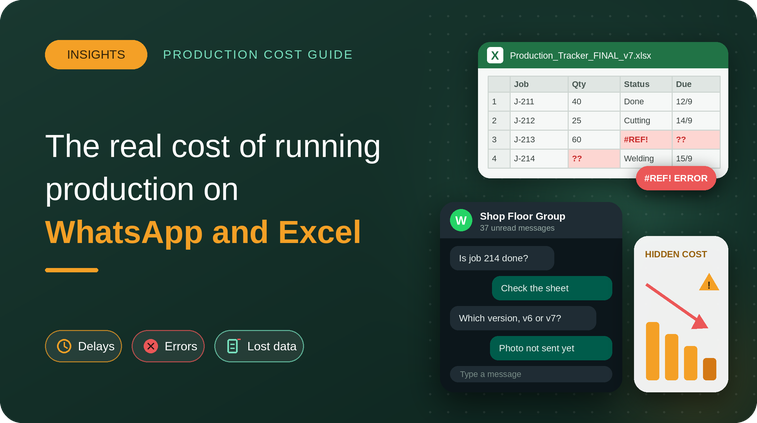
For growing manufacturing companies, software can help replace fragmented processes based on spreadsheets, paper records, and manual communication.
How Much Does Manufacturing Software Cost in India?
There is no single price for manufacturing software because every manufacturing operation has different requirements.
Pricing can depend on:
- Number of users
- Number of production locations
- Number of machines
- Required modules
- Production complexity
- Integrations
- Customization
- Implementation
- Training
- Technical support
Some manufacturers may only need basic production tracking, while others may require a broader system covering multiple production processes and locations.
Instead of choosing software based only on the lowest price, manufacturers should compare the features, scalability, implementation requirements, and expected business value.
What Factors Affect Manufacturing Software Pricing?
1. Number of Users
Many software providers structure pricing around the number of users accessing the platform.
A small manufacturing company with a limited number of users may have different requirements from a factory with production managers, supervisors, operators, quality teams, inventory teams, and management users.
Before purchasing software, determine who actually needs access to the system.
2. Number of Machines and Production Lines
Manufacturing operations with multiple machines and production lines may require more detailed production tracking.
The software may need to track:
- Machine status
- Production output
- Downtime
- Production orders
- Operator activity
- Production stages
The number and complexity of these requirements can affect the overall software investment.
3. Required Features
Not every manufacturer needs the same functionality.
A business may require only production tracking, while another may need:
- Production planning
- Work order management
- WIP tracking
- Quality management
- Rework tracking
- Material tracking
- Shop-floor management
- Production dashboards
- Reporting
More complex requirements may affect implementation and pricing.
4. Integrations
Manufacturers may already use accounting, ERP, inventory, CRM, or other business systems.
If the manufacturing software needs to exchange information with existing systems, integration requirements may affect the overall project cost.
5. Customization
Some manufacturers have unique workflows or production processes.
Customization may be required when standard software functionality does not completely match the company’s operational requirements.
Before requesting customization, businesses should first evaluate whether existing software features already solve the requirement.
6. Implementation and Training
Software implementation can include:
- Account configuration
- Workflow setup
- Data preparation
- User training
- Process configuration
- System onboarding
The implementation requirements depend on the complexity of the manufacturing operation.
Manufacturing Software vs ERP: What’s the Difference?
Manufacturing software and ERP systems can overlap, but they are not always the same thing.
An ERP system can manage multiple business functions such as:
- Finance
- Accounting
- Procurement
- Inventory
- Sales
- HR
- Manufacturing
Manufacturing-focused software may concentrate more heavily on production operations and shop-floor visibility.
For manufacturers that already have accounting or ERP systems, a dedicated production management platform may complement their existing technology rather than requiring them to replace everything.
The right approach depends on the company’s existing systems and operational requirements.
Cloud-Based vs On-Premise Manufacturing Software
Manufacturers may also need to decide between cloud-based and on-premise software.
Cloud-Based Manufacturing Software
Cloud-based systems are hosted online and can generally be accessed through supported devices with an internet connection.
Potential benefits include:
- Easier remote access
- Centralized data
- Reduced dependency on local infrastructure
- Easier software updates
- Faster deployment
On-Premise Manufacturing Software
On-premise software is installed and managed within the company’s own infrastructure.
It may provide greater control over the local IT environment but can require additional infrastructure, maintenance, and IT resources.
Manufacturers should evaluate their security, accessibility, infrastructure, and operational requirements before choosing an approach.
What Features Should You Look for in Manufacturing Software?
Before choosing manufacturing software, create a list of your most important operational requirements.
Important features may include:
Production Planning
The ability to organize production requirements and plan upcoming work.
Work Order Management
Create, assign, track, and manage production jobs.
Production Tracking
Monitor production progress and completed quantities.
WIP Tracking
Understand where jobs are currently located within the production process.
Quality Tracking
Record quality checks, rejected quantities, defects, and rework.
Shop-Floor Visibility
Give production teams better visibility into current shop-floor activities.
Production Reports
Access reports that help management understand production performance.
Dispatch Tracking
Monitor which orders are completed and ready for dispatch.
The exact features required depend on the manufacturing process and business size.
Hidden Costs to Consider Before Buying Manufacturing Software
The software subscription or license is not always the only cost involved.
Manufacturers should also consider:
- Implementation
- Training
- Data migration
- Integrations
- Customization
- Additional users
- Support
- Hardware requirements
- Future expansion
Ask the software provider for a clear explanation of what is included in the package and what may require additional investment.
How to Calculate the ROI of Manufacturing Software
The value of manufacturing software should not be measured only by its purchase price.
Manufacturers should also consider potential improvements in areas such as:
- Reduced manual reporting
- Better production visibility
- Faster decision-making
- Reduced production delays
- Better WIP control
- Improved quality tracking
- Reduced information gaps
- Better production planning
For example, if production managers spend several hours every week collecting and consolidating production information, digital production tracking could reduce some of that administrative effort.
Similarly, better visibility into delayed production orders can help teams identify problems earlier.
The actual ROI will depend on the manufacturer’s processes, implementation, adoption, and operational improvements.
Questions to Ask Before Choosing Manufacturing Software
Before making a decision, ask the software provider:
- What manufacturing processes does the software support?
- Can it track work orders from start to finish?
- Can it track WIP?
- Can production teams record shop-floor updates?
- Can it track quality and rework?
- Can management access production reports?
- Can it integrate with our existing systems?
- What is included in the pricing?
- Are implementation and training included?
- Is there a free demo?
- How does the system scale as production grows?
- What support is available after implementation?
These questions can help manufacturers compare solutions based on actual business requirements.
Is Manufacturing Software Worth the Investment for SMEs in India?
For growing manufacturing companies, the decision should be based on the operational problems the software is expected to solve.
If a factory is struggling with:
- Manual production tracking
- Limited WIP visibility
- Delayed production updates
- Difficulty monitoring work orders
- Production bottlenecks
- Quality and rework tracking
- Scattered production information
then evaluating a digital production management solution may be worthwhile.
The key is to choose software that fits the company’s current requirements while allowing the business to scale.
Why Choose TAKT Production?
TAKT Production is designed to help manufacturers manage and monitor production operations through a centralized platform.
Manufacturers can use TAKT Production to improve visibility across areas such as:
- Work orders
- Production planning
- Production tracking
- WIP
- Quality
- Rework
- Shop-floor activities
- Production reporting
- Dispatch
Instead of relying entirely on spreadsheets, paper records, and scattered communication, manufacturers can bring important production information into a more structured digital workflow.
Frequently Asked Questions About Manufacturing Software
What Is the Cost of Manufacturing Software in India?
The cost varies depending on factors such as users, features, production complexity, integrations, customization, implementation, and support requirements.
Is Manufacturing Software Expensive for Small Factories?
Not necessarily. The overall investment depends on the features and scale required. Small manufacturers can evaluate solutions based on their specific production requirements and expected operational benefits.
Can Manufacturing Software Replace ERP?
Not always. Manufacturing software and ERP systems can serve different purposes. A manufacturing-focused platform may also work alongside an existing ERP or accounting system, depending on integration capabilities.
Can Manufacturing Software Track WIP?
Yes. Many manufacturing platforms provide WIP tracking to help businesses monitor production progress and understand where jobs are within the manufacturing process.
Can I See a Manufacturing Software Demo Before Buying?
A demo is a useful way to understand whether the software fits your production workflow. Ask the provider to demonstrate the features that are most important to your factory.
Get a Manufacturing Software Demo From TAKT Production
Choosing manufacturing software is an important decision because the right system should fit your production workflow, team, and future requirements.
Instead of comparing software based only on price, evaluate features, usability, implementation, scalability, support, and the operational problems the software can help solve.
TAKT Production helps manufacturers improve production visibility by bringing key production activities into a centralized digital platform.
Ready to See How TAKT Production Can Work for Your Factory?
Book a Free TAKT Production Demo and see how you can manage production, WIP, quality, work orders, and shop-floor operations from one platform.
Book Your Free Demo Today.
More on this topic: our production tracking software pricing guide.